Start: the block where the bot begins the flow
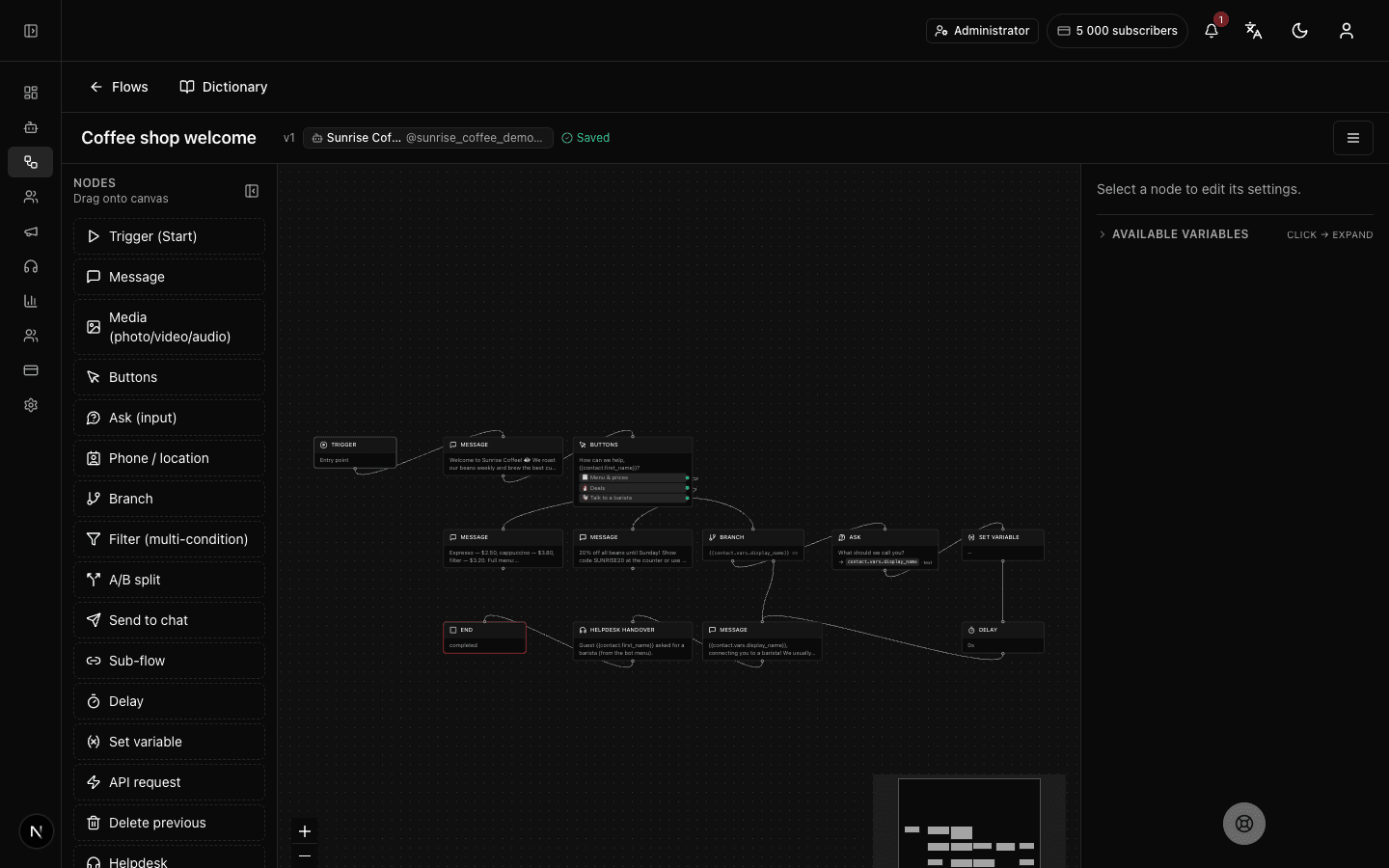
What the "Start" block does
"Start" marks the beginning of the flow — the point where the bot picks up a person and leads them along the chain of blocks. The customer configures nothing and often doesn't even notice this block: they simply message the bot or tap a button, and the conversation begins. Each flow has exactly one such block — every other step branches out from it.
Block settings
The "Start" block itself has no settings — its panel reads "No settings — entry point". What triggers the flow (a /start command, a keyword, a button) is set in the flow's own settings, not here.
No setup required — drop the block into your flow and it works right away.
Example: the first message to the bot
A customer opens a coffee shop's bot for the first time and taps "Start". The flow begins at the "Start" block, and the next block, "Message", greets them and offers the menu.
Frequently asked questions
Is the "Start" block required?
Yes. Every published flow must have exactly one "Start" block — without it the bot has nowhere to begin. You can't have two entry points in one flow.
Where do I set which command launches the flow?
Not in the block, but in the flow's settings. There you specify what launches it — a /start command, a keyword in a message, or a button tap. The "Start" block only marks where the chain begins.
Why does the "Start" block have no settings?
Because its job is simply to mark the beginning. All the logic (what launches the flow, what the bot replies) lives in the flow's settings and the blocks that follow. That's why its panel says "No settings — entry point".
Other blocks in this group
Sub-flow
Runs another of your scenarios as a part of this one. For example, move address collection into a separate scenario and reuse it.Call operator
Hands the conversation over to a live operator. For example, when a customer asks for a human, the bot brings in a manager.End
Ends the scenario — no more automatic messages after this. For example, thank the customer for the order and finish.Launch your Telegram bot with Forgebot
Build your first flow, reply to subscribers and watch analytics — free, no code.
Free plan: 1 bot, 5 flows, 100 subscribers. No card required.