Telegram bot broadcasts: mass sends on schedule
Everything for Telegram broadcasts and campaigns
From a one-off broadcast to an automated warm-up sequence — with scheduling, segments and a delivery monitor.
Mass broadcasts
Message your entire subscriber base: text, media and buttons — just like a regular flow step. One launch instead of sending to contacts one by one.
Scheduled sends
Plan the campaign for a date and time — it goes out on its own, no manual launch. Handy for preparing announcements ahead and hitting the hours your audience is online.
Segments & filters
Pick the audience by contact fields and variables so the broadcast reaches only the people it is relevant to — say, new subscribers or those who answered a quiz.
A/B tests
Compare message variants and keep the one subscribers respond to best — hypotheses get tested on a live audience, not on gut feeling.
Drip sequences
Automated message series with delays of up to 30 days — set it up once and the warm-up runs by itself for every new subscriber.
Impact in analytics
Blocks and churn after a campaign show up in subscriber analytics — you will spot list fatigue early and adjust the frequency.
How to send a Telegram bot broadcast in 5 steps
The whole journey — from draft to delivery report — happens in one workspace, with no base exports, spreadsheets or third-party tools.
Create a campaign
In Broadcasts, create a new campaign, pick the bot the message will be sent from, and give it a clear name. The draft is saved — you can come back to it at any time.
Build the audience
Send to your whole subscriber base or narrow it down with a segment: filters on contact fields and variables — language, quiz answers, tags — keep only the people the campaign is actually relevant to.
Write the message
Formatted text, media and link buttons — everything a regular flow step can send. The message lands in the chat looking personal, even when it goes out to thousands of subscribers.
Test it on yourself
Before launching, send a test message to your own Telegram and read it with a subscriber's eyes. Catching a typo or a broken link on yourself is far cheaper than catching it on your whole base.
Launch now or on schedule
Send the campaign immediately or schedule a date and time — it will go out on its own. The monitor shows sending progress per bot, and you can pause, resume or cancel the campaign at any point.
Anti-spam and Telegram rules
Broadcasting to your bot subscribers is a legitimate channel that works nothing like cold-contact spam. Here is what that rests on.
Opt-in by design
A Telegram bot technically cannot message a person first: the subscriber starts the bot themselves, and that is their consent to the conversation. Your base only contains people who pressed Start — there are no purchased contacts here.
Telegram speed limits
For bulk sending, Telegram caps bots at roughly 30 messages per second. The platform queues campaigns and sends them within these limits, so even a large base goes out gradually and predictably — no grey workarounds, only the official Bot API.
Unsubscribe is respected automatically
Blocking a bot takes one tap — that is what unsubscribing means here. Blocked subscribers are excluded from campaigns automatically, and the block rate is visible in analytics — you will notice right away if the frequency starts to annoy.
List hygiene
Relevance is the best protection against burning out your base. Segment campaigns, pace the frequency, and watch the response and churn after every send: one useful message a week outlasts daily noise sent to everyone.
About broadcasts
What is a Telegram broadcast?
It is sending a message to a bot’s subscribers in bulk — immediately or on a schedule, to everyone or a chosen segment. In Forgebot broadcasts cover one-off campaigns, scheduled sends, A/B tests, and automated drip sequences; results show up in subscriber analytics.
How is a broadcast different from a drip sequence?
A broadcast is a one-off campaign to your base or a segment, sent manually or on schedule. A drip sequence is an automated series with delays inside a flow — it starts by itself, for example right after someone subscribes.
Can I schedule a broadcast in advance?
Yes. Set the date and time — the campaign goes out automatically. Until a scheduled broadcast has started, you can cancel it.
Can I send to a segment instead of everyone?
Yes. Filter the audience by contact fields and variables — for example by language or quiz answers.
Does Telegram limit broadcasts?
Telegram has sending rate limits, and campaigns are sent with those limits in mind — the platform manages the queue itself. A subscriber can always block the bot: watch churn in analytics and pace your frequency so the base does not burn out.
Isn't this spam? How do broadcasts fit Telegram's rules?
Broadcasts go only to your bot's subscribers — people who started a conversation with it themselves: in Telegram, bots technically cannot message anyone first. Sending respects Telegram's rate limits, and opting out is automatic: subscribers who block the bot are excluded from campaigns.
How does broadcast A/B testing work?
Create two message variants — the platform splits the audience and shows which variant performed better. Decisions about copy get made on numbers, not intuition.
How do I know the broadcast went out?
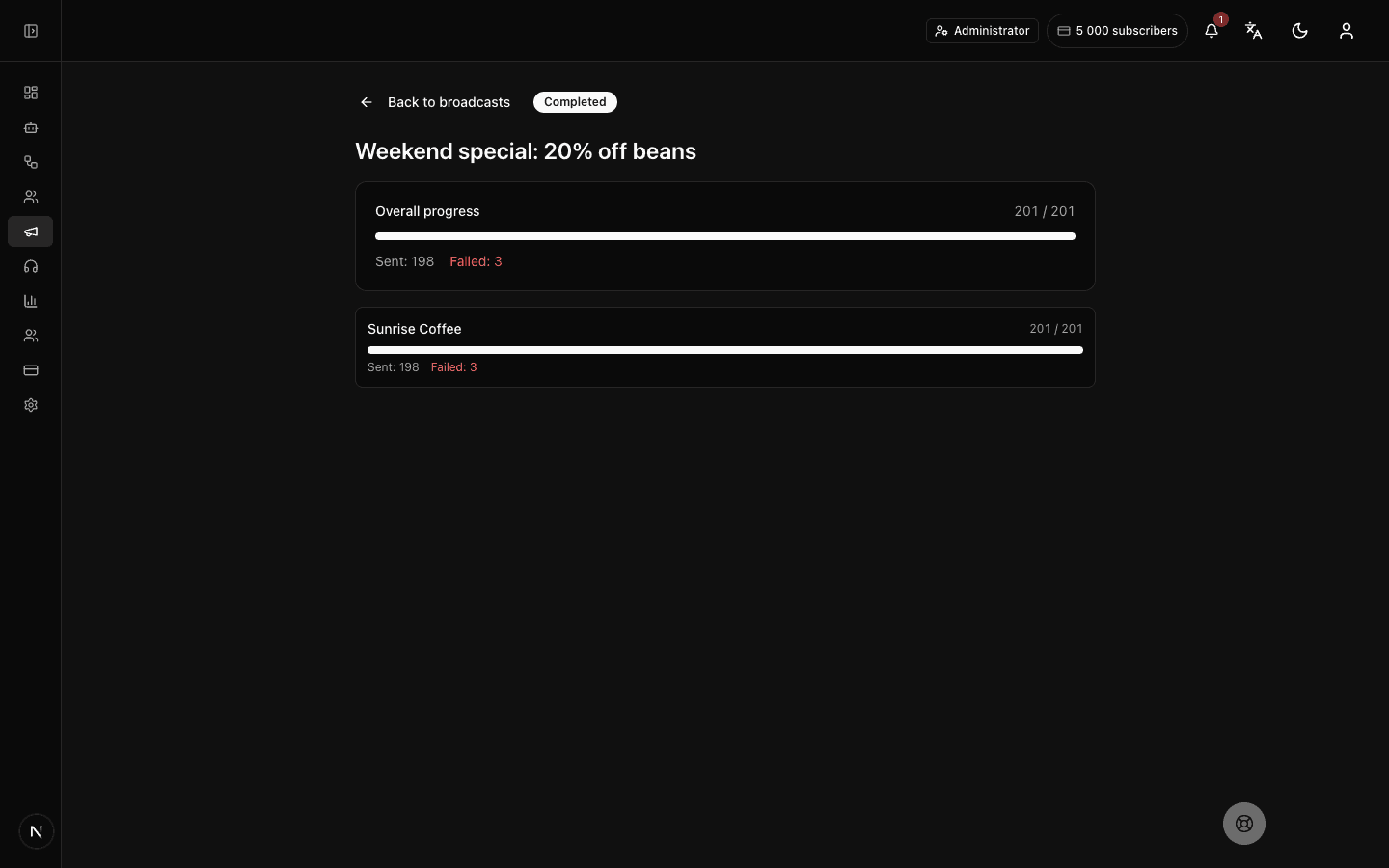
Every campaign has a monitor: overall progress, how many messages were sent and how many failed, the estimated time remaining, and per-bot sending progress. You can pause, resume or cancel the campaign right from the monitor.
When is the best time to send a broadcast?
When your audience is online. The workspace already gives you a hint: the hourly heatmap in analytics shows the hours your subscribers message the bot most — schedule campaigns into those windows.
How much do broadcasts cost?
Broadcasts are included in every plan — there is no separate charge for them. On the free plan you can send campaigns to up to 30 recipients per month, enough to try the mechanics. Paid plans have no separate monthly broadcast cap: the price depends only on the size of your subscriber base, from $19 per month.
See pricingLaunch your Telegram bot with Forgebot
Build your first flow, reply to subscribers and watch analytics — free, no code.
Free plan: 1 bot, 5 flows, 100 subscribers. No card required.